Lower your internet bill
61% of people overpay for their internet.
Are you one of them?
Unlock exclusive offers in your area!
Call now
[tel]Enter zip code

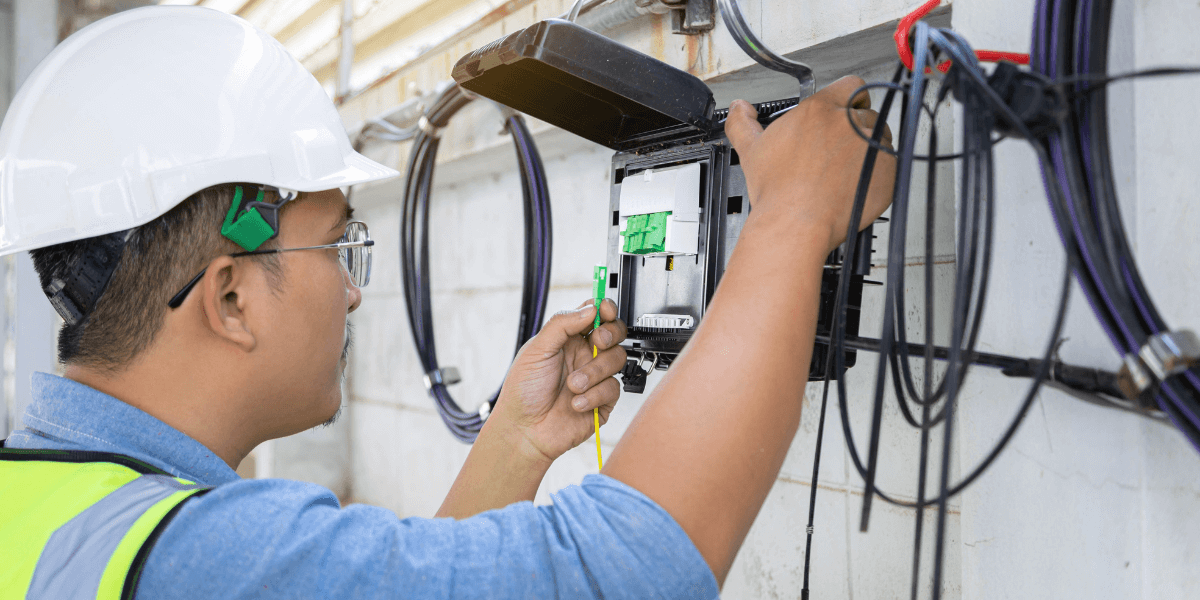
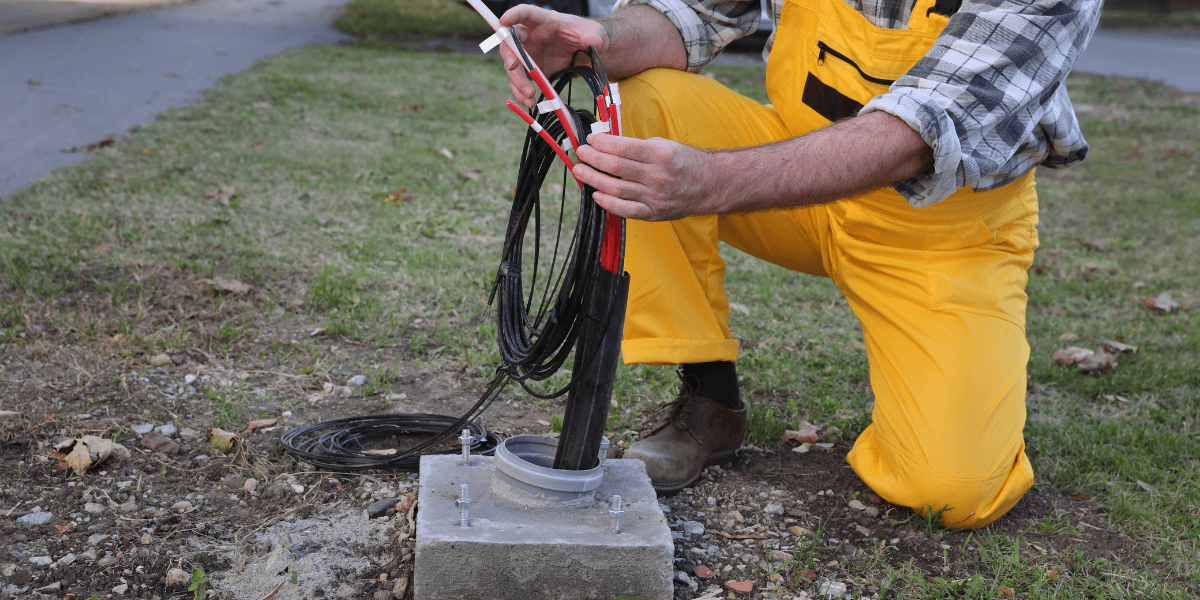
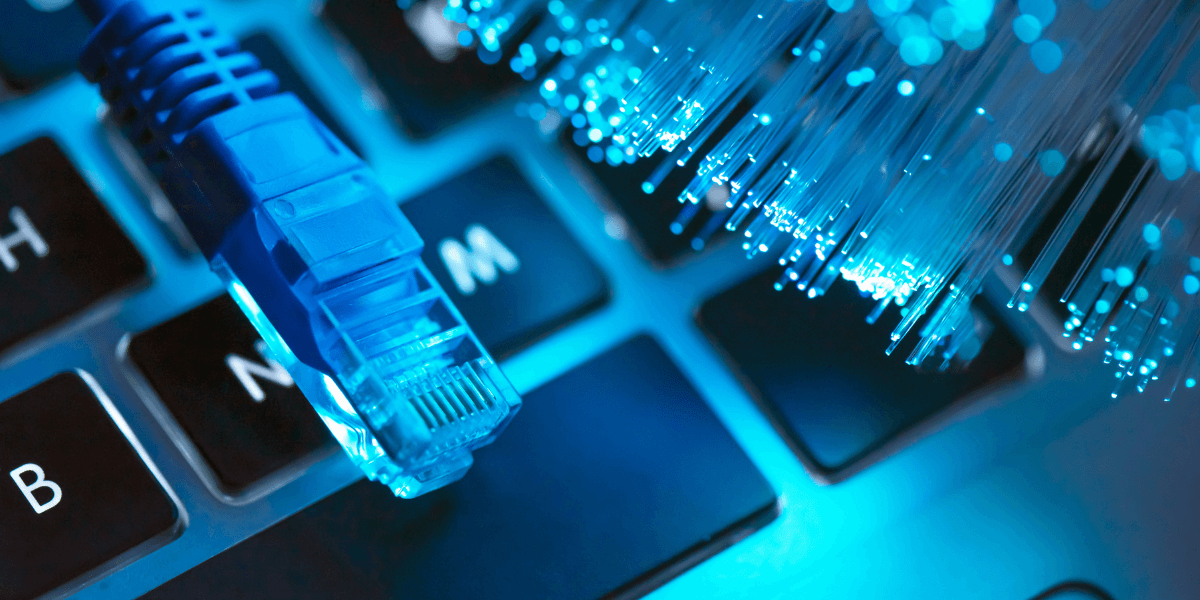
{ "@context": "https://schema.org", "@graph": [ { "@type": "Organization", "@id": "https://compareinternet.com/#organization", "name": "Blog", "logo": { "@type": "ImageObject", "@id": "https://compareinternet.com/#logo", "url": "https://content.isg.us/wp-content/uploads/2023/03/compare-internet-logo-compress.svg", "contentUrl": "https://content.isg.us/wp-content/uploads/2023/03/compare-internet-logo-compress.svg", "caption": "Blog", "inLanguage": "en-US", "width": "144", "height": "63" } }, { "@type": "WebSite", "@id": "https://compareinternet.com/#website", "url": "https://compareinternet.com/", "name": "https://compareinternet.com/", "publisher": { "@id": "https://compareinternet.com/#organization" }, "inLanguage": "en-US" }, { "@type": "ImageObject", "@id": "https://content.isg.us/wp-content/uploads/2025/03/header-image-fiber.png", "url": "https://content.isg.us/wp-content/uploads/2025/03/header-image-fiber.png", "width": "1200", "height": "750", "caption": "", "inLanguage": "en-US" }, { "@type": "BreadcrumbList", "@id": "https://compareinternet.com/blog/how-is-fiber-internet-installed-short-guide/#breadcrumb", "itemListElement": [ { "@type": "ListItem", "position": "1", "item": { "@id": "https://compareinternet.com/", "name": "Home" } }, { "@type": "ListItem", "position": "2", "item": { "@id": "https://compareinternet.com/blog/", "name": "Blog" } }, { "@type": "ListItem", "position": "3", "item": { "@id": "https://compareinternet.com/blog/how-is-fiber-internet-installed-short-guide/", "name": "How is Fiber Internet Installed?" } } ] }, { "@type": "WebPage", "@id": "https://compareinternet.com/blog/how-is-fiber-internet-installed-short-guide/#webpage", "url": "https://compareinternet.com/blog/how-is-fiber-internet-installed-short-guide/", "name": "DISH vs Cable | Infinity DISH", "datePublished": "2025-03-18T10:00:52+00:00", "dateModified": "2025-03-17T19:41:12+00:00", "isPartOf": { "@id": "https://compareinternet.com//#website" }, "primaryImageOfPage": { "@id": "https://content.isg.us/wp-content/uploads/2025/03/header-image-fiber.png" }, "inLanguage": "en-US", "breadcrumb": { "@id": "https://compareinternet.com/blog/how-is-fiber-internet-installed-short-guide/#breadcrumb" } }, { "@type": "Person", "@id": "https://compareinternet.com/caroline-lefelhoc/", "name": "Caroline Lefelhoc", "url": "https://compareinternet.com/caroline-lefelhoc/", "image": { "@type": "ImageObject", "@id": "https://content.isg.us/wp-content/uploads/2025/10/c76ba349b023feebd718512d8358a00f.png", "url": "https://content.isg.us/wp-content/uploads/2025/10/c76ba349b023feebd718512d8358a00f.png", "caption": "Caroline Lefelhoc", "inLanguage": "en-US" }, "worksFor": { "@id": "https://compareinternet.com/" } }, { "@type": "BlogPosting", "headline": "How is Fiber Internet Installed?", "keywords": "fiber internet installed", "datePublished": "2025-03-18T10:00:52+00:00", "dateModified": "2025-03-17T19:41:12+00:00", "articleSection": "Blog", "author": { "@id": "https://compareinternet.com/caroline-lefelhoc/", "name": "Caroline Lefelhoc", "url": "https://compareinternet.com/caroline-lefelhoc/" }, "publisher": { "@id": "https://compareinternet.com/#organization" }, "description": "How is fiber internet installed? Discover it's journey from street to home. Get lightning-fast speeds with this complete guide to fiber installation.", "name": "How is Fiber Internet Installed?", "@id": "https://compareinternet.com/#richSnippet", "isPartOf": { "@id": "https://compareinternet.com/#webpage" }, "image": { "@id": "https://content.isg.us/wp-content/uploads/2025/03/header-image-fiber.png" }, "inLanguage": "en-US", "mainEntityOfPage": { "@id": "https://compareinternet.com/#webpage" } }, { "@context": "https://schema.org", "@type": "NewsArticle", "articleBody": "<p>Imagine downloading your favorite 4K movie in seconds, not hours. Picture seamless video calls without freezing or buffering. Envision a household where everyone streams, <a href="https://www.compareinternet.com/blog/what-is-a-good-internet-speed-for-gaming/" target="_blank" rel="noopener">games</a>, and works online simultaneously—without a single complaint about <a href="https://www.compareinternet.com/blog/why-is-my-internet-so-slow-complete-troubleshooting-guide/" target="_blank" rel="noopener">slow interne</a>t. This is the reality of <a href="https://www.compareinternet.com/fiber-internet/" target="_blank" rel="noopener">fiber internet</a>. Fiber-optic technology delivers<a href="https://www.compareinternet.com/blog/tech-tips-for-fast-internet/" target="_blank" rel="noopener"> fast speed</a>s that transform how we experience the online world. So, are you ready to leave internet frustration behind? Let’s explore how fiber internet is installed to bring high-speed internet from the street to your living room.</p><h2>What Makes Fiber Internet Different?</h2><p>Before diving into the installation details, let’s clarify what differentiates <a href="https://www.compareinternet.com/blog/5g-vs-fiber-home-internet/" target="_blank" rel="noopener">fiber from traditional internet services.</a></p><p>Unlike DSL and <a href="https://www.compareinternet.com/blog/fiber-vs-cable-internet-understanding-the-difference/" target="_blank" rel="noopener">cable internet,</a> which rely on copper wires to transmit electrical signals, fiber-optic internet uses thin strands of glass or plastic to carry data as light pulses. This fundamental difference delivers several key advantages:</p><ul><li>Superior speed: Fiber can reach speeds up to 5 Gbps (5,000 Mbps), far exceeding cable or DSL capabilities</li><li>Reliability: Less susceptible to <a href="https://www.compareinternet.com/blog/is-internet-speed-impacted-by-weather/" target="_blank" rel="noopener">weather-related outages</a> and signal interference</li><li>Symmetrical speeds: Upload speeds match download speeds, unlike cable internet</li><li>Futureproofing: Virtually unlimited capacity for bandwidth increases as technology advances</li></ul><p>These benefits explain why many homeowners eagerly await fiber availability in their neighborhoods.</p><p> </p><div id="attachment_7947" style="width: 1210px" class="wp-caption alignnone"><img aria-describedby="caption-attachment-7947" decoding="async" loading="lazy" class="size-full wp-image-7947 cap_c cap_cv c_color_w" src="https://content.isg.us/wp-content/uploads/2025/03/5-3.png" alt="fiber option lights" width="1200" height="600" srcset="https://content.isg.us/wp-content/uploads/2025/03/5-3.png 1200w, https://content.isg.us/wp-content/uploads/2025/03/5-3-300x150.png 300w, https://content.isg.us/wp-content/uploads/2025/03/5-3-1024x512.png 1024w, https://content.isg.us/wp-content/uploads/2025/03/5-3-768x384.png 768w" sizes="(max-width: 1200px) 100vw, 1200px" /><p id="caption-attachment-7947" class="wp-caption-text">Check fiber availability</p></div><p> </p><h2>Is Fiber Internet Available at Your Address?</h2><p>The first step in your fiber journey is <a href="https://www.compareinternet.com/" target="_blank" rel="noopener">determining whether service is available where you live</a>. While fiber coverage continues to expand rapidly across the country, it hasn’t reached every neighborhood yet.</p><h3>How to Check Fiber Availability</h3><p>Simply <a href="https://www.compareinternet.com/" target="_blank" rel="noopener">enter your zip code here</a> to determine <a href="https://www.compareinternet.com/blog/fiber-internet-available-my-area/" target="_blank" rel="noopener">if fiber has reached your area</a>.</p><p>If fiber isn’t available yet, <a href="https://www.compareinternet.com/reviews/compare-internet-providers/" target="_blank" rel="noopener">many providers</a> let you register for notifications when construction reaches your neighborhood.</p><h3>Why Isn’t Fiber Available Everywhere?</h3><p>Installing fiber networks requires significant infrastructure investment. Each mile of fiber installation can cost tens of thousands of dollars, involving:</p><ul><li>Digging trenches for underground cable placement</li><li>Obtaining permits from local governments</li><li>Building neighborhood distribution hubs</li></ul><p>Urban areas typically get fiber first because providers can connect more customers per mile of cable installed, making the investment more economical. Due to these economic realities, rural <a href="https://www.compareinternet.com/blog/advantages-of-fiber-internet-at-home/" target="_blank" rel="noopener">fiber expansion</a> continues to grow but at a slower pace.</p><p>I’ll update the installation process section with this new information to make it more detailed and comprehensive.</p><p> </p><p><img decoding="async" loading="lazy" class="alignnone size-full wp-image-7950" src="https://content.isg.us/wp-content/uploads/2025/03/1-8.png" alt="man installing fiber internet to a home" width="1200" height="600" srcset="https://content.isg.us/wp-content/uploads/2025/03/1-8.png 1200w, https://content.isg.us/wp-content/uploads/2025/03/1-8-300x150.png 300w, https://content.isg.us/wp-content/uploads/2025/03/1-8-1024x512.png 1024w, https://content.isg.us/wp-content/uploads/2025/03/1-8-768x384.png 768w" sizes="(max-width: 1200px) 100vw, 1200px" /></p><p> </p><h2>So, How is Fiber Internet Installed?</h2><p><a href="https://www.compareinternet.com/guides/a-complete-guide-to-internet-speed-and-isps/" target="_blank" rel="noopener">Bringing fiber internet to your home</a> involves a comprehensive process that begins long before a technician arrives at your door. Here’s the complete journey from network design to your first <a href="https://www.compareinternet.com/blog/your-guide-to-high-speed-internet/" target="_blank" rel="noopener">high-speed connection</a>:</p><h3>1. Preliminary Site Survey</h3><p>Before any construction begins, providers conduct detailed site surveys of your neighborhood and property to:</p><ul><li>Assess the terrain and existing infrastructure</li><li>Determine whether aerial (pole-based) or underground installation is appropriate</li><li>Identify potential challenges or obstacles</li><li>Create a personalized assessment of each property’s connection points</li></ul><p>This hands-on approach ensures the installation plan fits your specific location and needs, setting the stage for all subsequent steps.</p><h3>2. Network Design</h3><p>With survey data in hand, engineers develop a comprehensive network design that includes:</p><ul><li>Path planning: Mapping the most efficient routes for fiber cables</li><li>Sizing: Determining appropriate cable capacity for current and future needs</li><li>Connection point identification: Strategically placing network hubs for optimal performance</li></ul><p>This crucial design phase can take 6-12 months to complete, depending on the size and complexity of the connected area.</p><h3>3. Pole Licensing and Material Ordering</h3><p>Before construction begins, providers must:</p><ul><li>Secure licenses to attach fiber cables to existing utility poles (for aerial installations)</li><li>Negotiate rights with pole owners, including power and telephone companies</li><li>Order specialized materials, including fiber optic cables and connection hardware</li><li>Ensure compliance with all local regulations</li></ul><h3>4. Make-Ready Work</h3><p>This labor-intensive phase prepares utility poles for new fiber lines:</p><ul><li>Evaluating existing poles for capacity and structural integrity</li><li>Adjusting positions of existing lines (electricity, telephone, cable) to make room</li><li>Sometimes, replacing poles that cannot safely support additional lines</li><li>Coordinating with multiple utility companies</li></ul><p>This preparation can represent up to 40% of a project’s budget but is essential for a safe, reliable installation [1].</p><h3>5. Strand Installation</h3><p>For aerial installations, technicians install steel support cables:</p><ul><li>Working from bucket trucks, crews drill holes in utility poles</li><li>Steel strands are anchored firmly to each pole</li><li>These strands create the backbone that will support the actual fiber cables</li><li>The steel provides crucial strength against environmental challenges like wind and ice</li></ul><h3>6. Lashing Fiber Cable</h3><p>With support strands in place, crews attach the actual fiber optic cables:</p><ul><li>Using specialized tools called cable lashers, technicians bind fiber cables to steel strands</li><li>The lasher wraps wire around both the fiber cable and steel strand, creating a secure bond</li><li>This process moves systematically from pole to pole across the network</li><li>Proper lashing ensures cables remain elevated and protected from physical damage</li></ul><h3>7. Adding Splice and Connection Points</h3><p>The network infrastructure includes critical components for maintenance and flexibility:</p><ul><li>Splice cases: Protective enclosures where sections of fiber cable connect</li><li>Slack loops: Extra lengths of cable strategically placed throughout the network</li></ul><p>These elements allow for future repairs, maintenance, and network expansion without significant reconstruction.</p><h3>8. Splicing Fiber Segments</h3><p>Technicians perform the delicate work of joining fiber strands:</p><ul><li>Using fusion splicing, fiber ends are precisely aligned and melted together with an electric arc</li><li>Each splice is inspected with specialized microscopes to ensure perfect alignment</li><li>Heat-shrink tubes or protective gel shield splices from environmental damage</li><li>Quality splices minimize signal loss, ensuring maximum network performance</li></ul><h3>9. Engaging Potential Customers</h3><p>As network construction progresses, providers begin outreach to potential customers through:</p><ul><li>Community events and informational sessions</li><li>Digital marketing campaigns and local advertising</li><li>Direct mail with service details and pricing</li><li>Social media updates on construction progress</li></ul><h3>10. Installing Drop Cables</h3><p>When you sign up for service, the provider connects your home to the main network:</p><ul><li>A smaller, flexible fiber cable runs from the main line to your house</li><li>Installation may be aerial (from pole to house) or underground</li><li>The drop cable connects to an external enclosure on your home’s exterior</li><li>This becomes the transition point between outdoor and indoor connections</li></ul><h3>11. Installing Electronics and Activating Service</h3><p>The final step brings your fiber connection to life:</p><ol><li>Technicians install an Optical Network Terminal (ONT) at your home</li><li>This device converts light signals from the fiber into electrical signals your devices can use</li><li>The ONT connects to your router via an Ethernet cable</li><li>Technicians configure your network settings and activate the service</li><li><a href="https://www.compareinternet.com/speed-test/" target="_blank" rel="noopener">Speed tests</a> verify you’re receiving your promised connection speeds</li></ol><p>After completing these steps, you’ll enjoy all the benefits of your new fiber internet connection, with speeds and reliability far beyond traditional services.</p><p> </p><p><img decoding="async" loading="lazy" class="alignnone wp-image-7948 size-full" src="https://content.isg.us/wp-content/uploads/2025/03/2-8.png" alt="fiber internet installed" width="1200" height="600" srcset="https://content.isg.us/wp-content/uploads/2025/03/2-8.png 1200w, https://content.isg.us/wp-content/uploads/2025/03/2-8-300x150.png 300w, https://content.isg.us/wp-content/uploads/2025/03/2-8-1024x512.png 1024w, https://content.isg.us/wp-content/uploads/2025/03/2-8-768x384.png 768w" sizes="(max-width: 1200px) 100vw, 1200px" /></p><p> </p><h2>How Deep Are Fiber Optic Cables Buried?</h2><p>For underground installations, the depth of fiber cables varies by location:</p><ul><li>Urban areas: Cables typically rest 12-24 inches (30-60 cm) below the surface</li><li>Rural areas: Deeper placement at 24-36 inches (60-90 cm) provides extra protection</li></ul><p>These depths prevent accidental damage from routine yard maintenance while keeping cables safe from freezing and other natural hazards.</p><h2>Equipment Needed for Fiber Internet</h2><p>Unlike cable service, fiber internet requires specific equipment:</p><h3>Optical Network Terminal (ONT)</h3><p>This device:</p><ul><li>Converts light signals to electrical signals</li><li>Acts as the demarcation point between the provider’s network and your home</li><li>Usually belongs to the service provider</li><li>Requires electrical power to function</li></ul><h3>Router</h3><p><a href="https://www.compareinternet.com/blog/how-to-choose-a-new-router/" target="_blank" rel="noopener">You’ll need a router</a> that can:</p><ul><li>Handle gigabit-plus speeds</li><li>Offer WiFi 6 capabilities for optimal wireless performance</li><li>Connect to the ONT via an Ethernet cable</li></ul><p>Many providers offer router rental or purchase options specifically designed for their fiber service.</p><h3>Ethernet Cables</h3><p>High-quality Ethernet cables connect:</p><ul><li>The ONT to your router</li><li>Your router to any devices requiring wired connections</li></ul><p>For best performance, use Cat5e or higher cables <a href="https://www.compareinternet.com/blog/mbps-vs-gbps-does-gigabit-speed-make-a-difference/" target="_blank" rel="noopener">capable of gigabit speeds.</a></p><p> </p><div id="attachment_7946" style="width: 1210px" class="wp-caption alignnone"><img aria-describedby="caption-attachment-7946" decoding="async" loading="lazy" class="size-full wp-image-7946 cap_c cap_cv c_color_w" src="https://content.isg.us/wp-content/uploads/2025/03/4-5.png" alt="fiber optic cables on a laptop" width="1200" height="600" srcset="https://content.isg.us/wp-content/uploads/2025/03/4-5.png 1200w, https://content.isg.us/wp-content/uploads/2025/03/4-5-300x150.png 300w, https://content.isg.us/wp-content/uploads/2025/03/4-5-1024x512.png 1024w, https://content.isg.us/wp-content/uploads/2025/03/4-5-768x384.png 768w" sizes="(max-width: 1200px) 100vw, 1200px" /><p id="caption-attachment-7946" class="wp-caption-text">Streamlined connections</p></div><p> </p><h2>Do You Need a Modem for Fiber Internet?</h2><p>This question causes frequent confusion. The simple answer: No, you don’t need a separate modem for fiber internet.</p><p><a href="https://www.compareinternet.com/blog/making-the-right-choice-dsl-vs-fiber-internet/" target="_blank" rel="noopener">With cable or DSL service</a>, a modem converts signals from the provider’s network into a format your router can use. With fiber internet, the ONT handles this conversion, essentially replacing the modem in your setup.</p><p>Your connection flows:</p><ol><li>From the fiber network to the ONT</li><li>From the ONT to your router via Ethernet</li><li>From your router to your devices via WiFi or Ethernet</li></ol><p>This streamlined approach eliminates one device from your networking setup.</p><h2>How Much Does Fiber Internet Installation Cost?</h2><p>Installation costs vary significantly between providers:</p><h3>Provider Costs</h3><p>For internet companies, installing fiber networks represents a significant investment:</p><ul><li>Network construction costs up to $140 billion nationwide [2]</li><li>Per-mile installation costs can reach tens of thousands of dollars</li><li>Rural areas cost more to connect than urban neighborhoods</li></ul><h3>Consumer Costs</h3><p>For homeowners, installation costs typically range from:</p><ul><li>Free: Many providers waive installation fees to attract new customers</li><li>$50-$100: Standard installation fee for some providers</li><li>$200+: Specialized installations requiring additional work</li></ul><p>Always check with your provider about potential installation fees before signing up. Many offer promotional deals waiving these charges for new customers.</p><p> </p><div id="attachment_7949" style="width: 1210px" class="wp-caption alignnone"><img aria-describedby="caption-attachment-7949" decoding="async" loading="lazy" class="size-full wp-image-7949 cap_c cap_cv c_color_w" src="https://content.isg.us/wp-content/uploads/2025/03/3-8.png" alt="fiber optic cables lit up" width="1200" height="600" srcset="https://content.isg.us/wp-content/uploads/2025/03/3-8.png 1200w, https://content.isg.us/wp-content/uploads/2025/03/3-8-300x150.png 300w, https://content.isg.us/wp-content/uploads/2025/03/3-8-1024x512.png 1024w, https://content.isg.us/wp-content/uploads/2025/03/3-8-768x384.png 768w" sizes="(max-width: 1200px) 100vw, 1200px" /><p id="caption-attachment-7949" class="wp-caption-text">Varied installation timelines</p></div><p> </p><h2>How Long Does Fiber Installation Take?</h2><p>The timeline for getting fiber installed varies:</p><ol><li>Standard home installation: 2-4 hours once the technician arrives</li><li>Complex installations: May require multiple visits spanning several days</li><li>Neighborhood deployment: Can take months from announcement to availability</li></ol><p>Most providers schedule specific appointment windows and offer arrival notifications so you don’t wait an entire day.</p><h2>Ready to Experience Fiber Internet?</h2><p>Don’t wait another day struggling with slow, unreliable internet. <a href="https://www.compareinternet.com/blog/future-internet-technologies/" target="_blank" rel="noopener">The digital future</a> is here, and it runs on fiber. Taking the first step toward lightning-fast connectivity is easier than you think.</p><p><a href="https://www.compareinternet.com/" target="_blank" rel="noopener">Enter your zip code now</a> to discover fiber availability in your neighborhood. If fiber has reached your area, you could be enjoying blazing speeds within days.</p><p>The <a href="https://www.compareinternet.com/blog/a-timeline-of-internet-history/" target="_blank" rel="noopener">internet</a> shapes how we work, learn, connect, and entertain ourselves. Why settle for yesterday’s technology when the gold connectivity standard might be just a zip code check away?</p><h2>Sources</h2><p>[1] <a href="https://race.com/blog/what-does-it-take-to-get-installed/" target="_blank" rel="noopener">Race.com. “Fiber Optic Installation in 11 Steps: From Design to Activation”</a></p><p>[2] <a href="https://www.naco.org/news/investing-over-100-billion-american-infrastructure#:~:text=AT&T%20has%20invested%20over%20$140,serves%20nearly%20290%20million%20people" target="_blank" rel="noopener">Naco.org. “Investing $100 Billion in American Infrastructure”</a>.</p>", "headline": "How is Fiber Internet Installed?", "articleSection": "Internet Types", "datePublished": "2025-03-18T10:00:52+00:00", "dateModified": "2025-03-17T19:41:12+00:00", "publisher": [{ "@type": "Organization", "name": "Compare Internet", "logo": { "@type": "ImageObject", "url": "https://www.compareinternet.com/wp-content/uploads/2023/02/Compare-Internet-white.png", "width": 1350, "height": 360 }, "alternateName": "Compare Internet" }], "author": [{ "@type": "Person", "name": "Caroline Lefelhoc", "url": "https://compareinternet.com/authors/caroline-lefelhoc/", "jobTitle": "Caroline Lefelhoc", "image": { "@type": "ImageObject", "url": "https://content.isg.us/wp-content/uploads/2025/10/c76ba349b023feebd718512d8358a00f.png", "height": 337, "width": 337 } }], "image": [{ "@type": "ImageObject", "url": "https://content.isg.us/wp-content/uploads/2025/03/header-image-fiber.png", "height": 1200, "width": 750 }], "description": "How is Fiber Internet Installed?", "wordCount": "2762", "mainEntityOfPage": "https://compareinternet.com/blog/how-is-fiber-internet-installed-short-guide/" } ] }