Lower your internet bill
61% of people overpay for their internet.
Are you one of them?
Unlock exclusive offers in your area!
Call now
[tel]Enter zip code

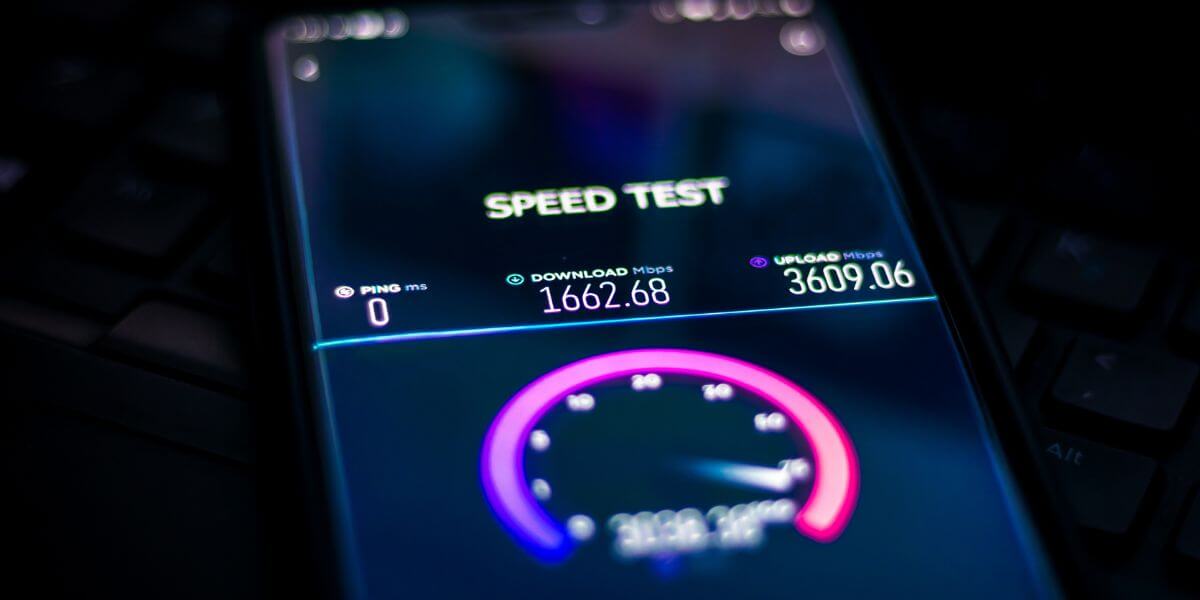
{ "@context": "https://schema.org", "@graph": [ { "@type": "Organization", "@id": "https://compareinternet.com/#organization", "name": "Blog", "logo": { "@type": "ImageObject", "@id": "https://compareinternet.com/#logo", "url": "https://content.isg.us/wp-content/uploads/2023/03/compare-internet-logo-compress.svg", "contentUrl": "https://content.isg.us/wp-content/uploads/2023/03/compare-internet-logo-compress.svg", "caption": "Blog", "inLanguage": "en-US", "width": "144", "height": "63" } }, { "@type": "WebSite", "@id": "https://compareinternet.com/#website", "url": "https://compareinternet.com/", "name": "https://compareinternet.com/", "publisher": { "@id": "https://compareinternet.com/#organization" }, "inLanguage": "en-US" }, { "@type": "ImageObject", "@id": "https://content.isg.us/wp-content/uploads/2025/02/ISG-CompareInternet-Hero-Image-Template-4.jpg", "url": "https://content.isg.us/wp-content/uploads/2025/02/ISG-CompareInternet-Hero-Image-Template-4.jpg", "width": "1200", "height": "750", "caption": "", "inLanguage": "en-US" }, { "@type": "BreadcrumbList", "@id": "https://compareinternet.com/blog/tech-tips-for-fast-internet/#breadcrumb", "itemListElement": [ { "@type": "ListItem", "position": "1", "item": { "@id": "https://compareinternet.com/", "name": "Home" } }, { "@type": "ListItem", "position": "2", "item": { "@id": "https://compareinternet.com/blog/", "name": "Blog" } }, { "@type": "ListItem", "position": "3", "item": { "@id": "https://compareinternet.com/blog/tech-tips-for-fast-internet/", "name": "Tech Tips for Fast Internet" } } ] }, { "@type": "WebPage", "@id": "https://compareinternet.com/blog/tech-tips-for-fast-internet/#webpage", "url": "https://compareinternet.com/blog/tech-tips-for-fast-internet/", "name": "DISH vs Cable | Infinity DISH", "datePublished": "2025-02-20T10:00:43+00:00", "dateModified": "2025-02-21T12:05:20+00:00", "isPartOf": { "@id": "https://compareinternet.com//#website" }, "primaryImageOfPage": { "@id": "https://content.isg.us/wp-content/uploads/2025/02/ISG-CompareInternet-Hero-Image-Template-4.jpg" }, "inLanguage": "en-US", "breadcrumb": { "@id": "https://compareinternet.com/blog/tech-tips-for-fast-internet/#breadcrumb" } }, { "@type": "Person", "@id": "https://compareinternet.com/sam-watanuki/", "name": "Sam Watanuki", "url": "https://compareinternet.com/sam-watanuki/", "image": { "@type": "ImageObject", "@id": "", "url": "", "caption": "Sam Watanuki", "inLanguage": "en-US" }, "worksFor": { "@id": "https://compareinternet.com/" } }, { "@type": "BlogPosting", "headline": "Tech Tips for Fast Internet", "keywords": "Fast Internet", "datePublished": "2025-02-20T10:00:43+00:00", "dateModified": "2025-02-21T12:05:20+00:00", "articleSection": "Blog", "author": { "@id": "https://compareinternet.com/sam-watanuki/", "name": "Sam Watanuki", "url": "https://compareinternet.com/sam-watanuki/" }, "publisher": { "@id": "https://compareinternet.com/#organization" }, "description": "These tips can make a big difference in boosting your internet speed, but keep in mind that fast internet starts with the right service plan. Think about what", "name": "Tech Tips for Fast Internet", "@id": "https://compareinternet.com/#richSnippet", "isPartOf": { "@id": "https://compareinternet.com/#webpage" }, "image": { "@id": "https://content.isg.us/wp-content/uploads/2025/02/ISG-CompareInternet-Hero-Image-Template-4.jpg" }, "inLanguage": "en-US", "mainEntityOfPage": { "@id": "https://compareinternet.com/#webpage" } }, { "@context": "https://schema.org", "@type": "NewsArticle", "articleBody": "<p>Slow internet feels like being stuck in digital traffic—frustrating, time-consuming, and completely unnecessary in today’s high-speed world. Whether you’re struggling with buffering video calls, lagging online games, or glacially slow downloads, the right technical adjustments can transform your internet experience from frustrating to fantastic.</p><p>But what really makes the difference between a lightning-fast connection and a digital crawl? From the<a href="https://www.compareinternet.com/blog/best-router-placement-for-fast-wi-fi/" target="_blank" rel="noopener"> best router placement</a> to<a href="https://www.compareinternet.com/blog/what-are-qos-settings/" target="_blank" rel="noopener"> network settings</a>, we’ll explore proven techniques for how to get faster internet and ensure you’re getting the performance you deserve from your connection.</p><h2>Understanding Internet Speed Basics</h2><p>Before jumping into optimization tips, it’s important to know what impacts your internet speed. A lot of things can affect how well your connection performs, from your service plan to how your home setup is arranged. While your<a href="https://www.compareinternet.com/reviews/compare-internet-providers/" target="_blank" rel="noopener"> internet service provider (ISP)</a> determines your maximum speed, there are plenty of things you can do on your end to hit—or even surpass—your expected performance.</p><h3>Measuring Your Current Speed</h3><p>Start by establishing a baseline using reliable<a href="https://www.compareinternet.com/speed-test/" target="_blank" rel="noopener"> speed testing tools</a>, such as Ookla Speedtest [1] or Fast.com [2]. These tools will give you an initial understanding of your internet performance. For accurate results, make sure to test your speed at different times of day, as network congestion can vary, and from various locations in your home to identify potential dead zones. Additionally, test on multiple devices to see if performance issues are device-specific.</p><p>Remember that Wi-Fi speeds typically measure 20-30% slower than direct wired connections, due to interference and signal loss [3], so take this into account when evaluating your results. If possible, compare your Wi-Fi speeds to a wired connection to see if your internet provider is delivering the speeds you’re paying for. This comprehensive testing will help you pinpoint any issues and optimize your setup.</p><h3>Common Speed Bottlenecks</h3><p>Most speed issues stem from a few common sources:</p><ul><li style="font-weight: 400;">Outdated hardware unable to handle modern connection speeds</li><li style="font-weight: 400;">Poorly placed routers creating weak signal areas</li><li style="font-weight: 400;">Network congestion from multiple devices</li><li style="font-weight: 400;">Interference from nearby electronic devices</li><li style="font-weight: 400;">Outdated software and firmware</li></ul><h2>Essential Router Optimization Tips</h2><div id="attachment_7712" style="width: 1210px" class="wp-caption alignnone"><img aria-describedby="caption-attachment-7712" decoding="async" loading="lazy" class="size-full wp-image-7712 cap_c cap_cv c_color_w" src="https://content.isg.us/wp-content/uploads/2025/02/ISG-CompareInternet-In-Article-Image-Template-17.jpg" alt="Speed test app on smart phone" width="1200" height="600" srcset="https://content.isg.us/wp-content/uploads/2025/02/ISG-CompareInternet-In-Article-Image-Template-17.jpg 1200w, https://content.isg.us/wp-content/uploads/2025/02/ISG-CompareInternet-In-Article-Image-Template-17-300x150.jpg 300w, https://content.isg.us/wp-content/uploads/2025/02/ISG-CompareInternet-In-Article-Image-Template-17-1024x512.jpg 1024w, https://content.isg.us/wp-content/uploads/2025/02/ISG-CompareInternet-In-Article-Image-Template-17-768x384.jpg 768w" sizes="(max-width: 1200px) 100vw, 1200px" /><p id="caption-attachment-7712" class="wp-caption-text">Get the most from your internet</p></div><p>Your<a href="https://www.compareinternet.com/blog/best-routers-and-modems/" target="_blank" rel="noopener"> router</a> serves as the gateway for your home internet connection, making it the first line of defense against slow speeds.<a href="https://www.compareinternet.com/blog/how-to-login-to-your-router/" target="_blank" rel="noopener"> Logging in and properly configuring your router</a> can also significantly impact your internet performance.</p><h3>Strategic Router Placement</h3><p>Place your router in a central, elevated spot to get the best signal across your home. Try to avoid metal objects, thick walls, or anything else that might block the signal. Steer clear of hiding it in cabinets, behind big furniture, or near devices like microwaves or cordless phones that can cause interference.</p><p>For the best results, aim for a clear line of sight to the areas where you use Wi-Fi the most, like the living room, home office, or bedrooms. A good router setup can make a big difference in your internet speed and reliability.</p><h3>Channel Selection and Signal Strength</h3><p>Modern routers run on either<a href="https://www.compareinternet.com/blog/2-4-ghz-vs-5-ghz-wifi/" target="_blank" rel="noopener"> 2.4GHz or 5GHz frequencies</a>, and both have their perks. The 2.4GHz band gives you better range but slower speeds, while 5GHz delivers faster speeds over shorter distances. To get the best performance, try using channel analysis tools to find and pick the least crowded channels. Most smart devices can automatically select the best channel, but it doesn’t hurt to check once in a while.</p><h2>Device-Level Speed Improvements</h2><p>Your devices have a big impact on your internet speed. Keeping them maintained and running smoothly can help avoid slowdowns and keep things working consistently.</p><h3>Background Process Management</h3><p>Background apps can use up a lot of bandwidth without you even realizing it. Take some time to check and manage what’s running in the background, especially on your phone or computer. Keep an eye on things like automatic updates, cloud syncing, and backup programs.</p><h3>Software Optimization</h3><p>Make sure to keep your devices and apps updated to the latest versions. Updates often come with performance boosts and bug fixes that can impact your internet speed [4]. Also, try switching to lighter versions of apps if the ones you’re using are eating up too much bandwidth.</p><h2>Network Configuration Strategies</h2><div id="attachment_7711" style="width: 1210px" class="wp-caption alignnone"><img aria-describedby="caption-attachment-7711" decoding="async" loading="lazy" class="size-full wp-image-7711 cap_c cap_cv c_color_w" src="https://content.isg.us/wp-content/uploads/2025/02/ISG-CompareInternet-In-Article-Image-Template-16.jpg" alt="person holding phone at laptop" width="1200" height="600" srcset="https://content.isg.us/wp-content/uploads/2025/02/ISG-CompareInternet-In-Article-Image-Template-16.jpg 1200w, https://content.isg.us/wp-content/uploads/2025/02/ISG-CompareInternet-In-Article-Image-Template-16-300x150.jpg 300w, https://content.isg.us/wp-content/uploads/2025/02/ISG-CompareInternet-In-Article-Image-Template-16-1024x512.jpg 1024w, https://content.isg.us/wp-content/uploads/2025/02/ISG-CompareInternet-In-Article-Image-Template-16-768x384.jpg 768w" sizes="(max-width: 1200px) 100vw, 1200px" /><p id="caption-attachment-7711" class="wp-caption-text">Optimize your settings</p></div><p>Advanced network settings offer powerful tools for speed optimization, though they require careful configuration to avoid unintended consequences.</p><h3>Quality of Service (QoS) Settings</h3><p><a href="https://www.compareinternet.com/blog/what-are-qos-settings/" target="_blank" rel="noopener">QoS settings</a> let you prioritize certain types of internet traffic over others. For instance, you can make sure video calls get priority over file downloads, or give gaming traffic the upper hand during certain hours. Most modern routers have QoS features built in, though they might be called “traffic management” or “bandwidth control.”</p><h3>DNS Optimization</h3><p>Your DNS (Domain Name System) settings can impact how fast websites load [5]. Your ISP gives you default DNS servers, but options like Google DNS (8.8.8.8) or Cloudflare (1.1.1.1) are often quicker. Try out different DNS providers to see which one works best for your area.</p><h2>Hardware Solutions for Better Speed</h2><p>Sometimes, the best solution involves upgrading your hardware. While this requires an initial investment, the performance improvements often justify the cost.</p><h3>When to Upgrade Your Router</h3><p>If your router is over 3-4 years old or doesn’t support current Wi-Fi standards, it’s probably time for an upgrade. Look for a router with Wi-Fi 6 (802.11ax) or at least Wi-Fi 5 (802.11ac) to get the best performance. Make sure your new router can handle the speed of your internet plan—or better!</p><h3>Mesh Networks vs. Range Extenders</h3><p>If you’ve got a bigger home or struggle with weak Wi-Fi spots,<a href="https://www.compareinternet.com/blog/wi-fi-extender-vs-repeater-vs-mesh-wi-fi/" target="_blank" rel="noopener"> extenders or a mesh network system</a> might be the way to go. Unlike regular range extenders that can cut your bandwidth in half, mesh systems give you smooth, reliable coverage without slowing you down. Plus, most modern mesh setups are super easy to install and manage right from your phone.</p><h2>Smart Browsing Practices</h2><div id="attachment_7710" style="width: 1210px" class="wp-caption alignnone"><img aria-describedby="caption-attachment-7710" decoding="async" loading="lazy" class="size-full wp-image-7710 cap_c cap_cv c_color_w" src="https://content.isg.us/wp-content/uploads/2025/02/ISG-CompareInternet-In-Article-Image-Template-15.jpg" alt="person viewing speed test on laptop" width="1200" height="600" srcset="https://content.isg.us/wp-content/uploads/2025/02/ISG-CompareInternet-In-Article-Image-Template-15.jpg 1200w, https://content.isg.us/wp-content/uploads/2025/02/ISG-CompareInternet-In-Article-Image-Template-15-300x150.jpg 300w, https://content.isg.us/wp-content/uploads/2025/02/ISG-CompareInternet-In-Article-Image-Template-15-1024x512.jpg 1024w, https://content.isg.us/wp-content/uploads/2025/02/ISG-CompareInternet-In-Article-Image-Template-15-768x384.jpg 768w" sizes="(max-width: 1200px) 100vw, 1200px" /><p id="caption-attachment-7710" class="wp-caption-text">Maintain the speed you’re paying for</p></div><p>The way you browse can really affect your internet speed. Using smart habits can help keep things running smoothly.</p><h3>Browser Optimization</h3><p>Regular browser maintenance improves loading times and reduces bandwidth usage:</p><ul><li style="font-weight: 400;">Clear cache and cookies monthly</li><li style="font-weight: 400;">Limit active extensions to essentials</li><li style="font-weight: 400;">Use ad blockers to reduce unnecessary data usage</li><li style="font-weight: 400;">Keep browser software updated</li></ul><h3>Streaming and Download Strategies</h3><p>Keep your network running smoothly while<a href="https://www.compareinternet.com/blog/how-much-internet-speed-do-i-need-for-streaming/" target="_blank" rel="noopener"> streaming</a> and downloading:</p><ul><li style="font-weight: 400;">Plan big downloads for off-peak times</li><li style="font-weight: 400;">Use a download manager for large files</li><li style="font-weight: 400;">Adjust streaming quality to match your network speed</li><li style="font-weight: 400;">Avoid doing too many high-bandwidth activities at once</li></ul><h2>Making Your Final Decision</h2><p>These tips can make a big difference in boosting your internet speed, but keep in mind that fast internet starts with the right service plan. Think about what your household needs when picking a speed tier, and don’t be afraid to upgrade if you’re constantly maxing out your current plan.</p><p>Looking for faster internet? Just enter your zip code below to check out providers and plans available in your area.<a href="https://www.compareinternet.com/" target="_blank" rel="noopener"> Our comparison tool</a> makes it easy to weigh speeds, prices, and features so you can find the perfect fit for your online life.</p><h3>Sources</h3><p>[1]<a href="https://www.speedtest.net/" target="_blank" rel="noopener"> Ookla. “Speedtest by Ookla.”</a></p><p>[2]<a href="https://fast.com/" target="_blank" rel="noopener"> Fast.com</a></p><p>[3]<a href="https://www.howtogeek.com/217463/wi-fi-vs.-ethernet-how-much-better-is-a-wired-connection/" target="_blank" rel="noopener"> How-To Geek. Wi-Fi vs. Ethernet: How Much Better Is a Wired Connection?</a></p><p>[4]<a href="https://www.avast.com/c-how-to-speed-up-internet-connection" target="_blank" rel="noopener"> Avast. “Why Is My Internet So Slow & How to Speed It Up?</a>”</p><p>[5]<a href="https://aws.amazon.com/route53/what-is-dns/" target="_blank" rel="noopener"> AWS. “What is DNS?”</a></p>", "headline": "Tech Tips for Fast Internet", "articleSection": "Internet Speed", "datePublished": "2025-02-20T10:00:43+00:00", "dateModified": "2025-02-21T12:05:20+00:00", "publisher": [{ "@type": "Organization", "name": "Compare Internet", "logo": { "@type": "ImageObject", "url": "https://www.compareinternet.com/wp-content/uploads/2023/02/Compare-Internet-white.png", "width": 1350, "height": 360 }, "alternateName": "Compare Internet" }], "author": [{ "@type": "Person", "name": "Sam Watanuki", "url": "https://compareinternet.com/authors/sam-watanuki/", "jobTitle": "Sam Watanuki", "image": { "@type": "ImageObject", "url": "", "height": 337, "width": 337 } }], "image": [{ "@type": "ImageObject", "url": "https://content.isg.us/wp-content/uploads/2025/02/ISG-CompareInternet-Hero-Image-Template-4.jpg", "height": 1200, "width": 750 }], "description": "Tech Tips for Fast Internet", "wordCount": "1862", "mainEntityOfPage": "https://compareinternet.com/blog/tech-tips-for-fast-internet/" } ] }