
Lower your internet bill
61% of people overpay for their internet.
Are you one of them?
Unlock exclusive offers in your area!
Call now
[tel]Enter zip code
What is a Good Internet Speed for Gaming?
", "inLanguage": "en-US" }, { "@type": "BreadcrumbList", "@id": "https://compareinternet.com/blog/what-is-a-good-internet-speed-for-gaming/#breadcrumb", "itemListElement": [ { "@type": "ListItem", "position": "1", "item": { "@id": "https://compareinternet.com/", "name": "Home" } }, { "@type": "ListItem", "position": "2", "item": { "@id": "https://compareinternet.com/blog/", "name": "Blog" } }, { "@type": "ListItem", "position": "3", "item": { "@id": "https://compareinternet.com/blog/what-is-a-good-internet-speed-for-gaming/", "name": "What is a Good Internet Speed for Gaming?" } } ] }, { "@type": "WebPage", "@id": "https://compareinternet.com/blog/what-is-a-good-internet-speed-for-gaming/#webpage", "url": "https://compareinternet.com/blog/what-is-a-good-internet-speed-for-gaming/", "name": "DISH vs Cable | Infinity DISH", "datePublished": "2024-06-14T16:18:24+00:00", "dateModified": "2026-07-08T14:47:21+00:00", "isPartOf": { "@id": "https://compareinternet.com//#website" }, "primaryImageOfPage": { "@id": "https://content.isg.us/wp-content/uploads/2024/06/Gaming-Speed-1-filter.jpg" }, "inLanguage": "en-US", "breadcrumb": { "@id": "https://compareinternet.com/blog/what-is-a-good-internet-speed-for-gaming/#breadcrumb" } }, { "@type": "Person", "@id": "https://compareinternet.com/rosslyn-elliott/", "name": "Rosslyn Elliott", "url": "https://compareinternet.com/rosslyn-elliott/", "image": { "@type": "ImageObject", "@id": "https://content.isg.us/wp-content/uploads/2023/02/Roz-Elliot.jpeg", "url": "https://content.isg.us/wp-content/uploads/2023/02/Roz-Elliot.jpeg", "caption": "Rosslyn Elliott", "inLanguage": "en-US" }, "worksFor": { "@id": "https://compareinternet.com/" } }, { "@type": "BlogPosting", "headline": "What is a Good Internet Speed for Gaming?", "keywords": "internet speed for gaming", "datePublished": "2024-06-14T16:18:24+00:00", "dateModified": "2026-07-08T14:47:21+00:00", "articleSection": "Blog", "author": { "@id": "https://compareinternet.com/rosslyn-elliott/", "name": "Rosslyn Elliott", "url": "https://compareinternet.com/rosslyn-elliott/" }, "publisher": { "@id": "https://compareinternet.com/#organization" }, "description": "Your internet connection will support almost all forms of gaming if you have 100 Mbps download speed, 20 Mbps upload speed, and latency under 40 ms.", "name": "What is a Good Internet Speed for Gaming?", "@id": "https://compareinternet.com/#richSnippet", "isPartOf": { "@id": "https://compareinternet.com/#webpage" }, "image": { "@id": "https://content.isg.us/wp-content/uploads/2024/06/Gaming-Speed-1-filter.jpg" }, "inLanguage": "en-US", "mainEntityOfPage": { "@id": "https://compareinternet.com/#webpage" } }, { "@context": "https://schema.org", "@type": "NewsArticle", "articleBody": "<p>Your internet connection will support almost all forms of gaming if you have 100 Mbps download speed, 20 Mbps upload speed, and latency under 40 ms.<!--more--></p><p>But there’s a lot more to unpack about ideal gaming speed, based on which games you play and how many people share your internet connection. Your preferred games will determine how much wiggle room you have for speeds. Some types of gaming are just more sensitive to timing and need higher performance levels.</p><p>When you choose the right speed for your games, you can count on smooth gaming sessions. And you’ll also avoid paying way more than you should for your monthly<a href="https://www.compareinternet.com/blog/internet-bill-negotiation-scripts-that-actually-work/" target="_blank" rel="noopener noreferrer"> internet bill</a>!</p><h3>How internet speeds affect your gaming</h3><p>You’re in the middle of an intense gaming session, about to take down the final boss and suddenly, your screen freezes. Lag strikes again! Frustrating, right?</p><p>As a gamer, you know that a<a href="https://www.compareinternet.com/blog/get-the-fastest-internet-connection-in-your-area/" target="_blank" rel="noopener noreferrer"> fast and reliable</a> internet connection is essential for a seamless gaming experience. Slow internet speeds can lead to lag, endless load times, and rage-inducing gameplay.</p><p>That’s why it’s crucial to understand which speeds matter most for your specific gaming needs.</p><p>In this guide, we’ll cover everything you need to know about internet speeds for gaming. Get ready to level up your knowledge and optimize your gaming setup like a pro.</p><p> </p><div id="attachment_6129" style="width: 1034px" class="wp-caption alignnone"><img loading="lazy" decoding="async" aria-describedby="caption-attachment-6129" class="size-large wp-image-6129 cap_c cap_cv c_color_w" src="https://content.isg.us/wp-content/uploads/2024/06/Gaming-Speed-2-1024x683.jpg" alt="speed dials show different internet speed for gaming" width="1024" height="683" srcset="https://content.isg.us/wp-content/uploads/2024/06/Gaming-Speed-2-1024x683.jpg 1024w, https://content.isg.us/wp-content/uploads/2024/06/Gaming-Speed-2-300x200.jpg 300w, https://content.isg.us/wp-content/uploads/2024/06/Gaming-Speed-2-768x512.jpg 768w, https://content.isg.us/wp-content/uploads/2024/06/Gaming-Speed-2.jpg 1200w" sizes="auto, (max-width: 1024px) 100vw, 1024px" /><p id="caption-attachment-6129" class="wp-caption-text">Level up your internet speed</p></div><h2>Download Speed vs. Upload Speed for Gaming</h2><p>Two key players in the world of gaming are<a href="https://www.compareinternet.com/blog/upload-vs-download-speed/" target="_blank" rel="noopener noreferrer"> download speed and upload speed</a>.</p><p>Download speed means how quickly your device can <strong>receive</strong> data from the internet.</p><p>Why does this matter for gaming?</p><p>Simple. It affects how fast your game loads and how smoothly it runs. The higher your download speed, the less glitching and fewer interruptions you’ll encounter. No more staring at loading screens for an eternity!</p><p>Upload speed is all about how fast your device can <strong>send</strong> data to the internet. This is crucial for online gaming, especially if you’re into multiplayer games or hosting your own game server. A higher upload speed means your actions in the game will appear to the other players in microseconds.</p><h3>What are the minimum download and upload speed requirements for different gaming platforms?</h3><p>Here’s the official answer:</p><ul><li>PC gaming: 3-6 Mbps download, 0.5-1 Mbps upload</li><li>Xbox gaming: 3 Mbps download, 0.5 Mbps upload</li><li>PlayStation gaming: 2 Mbps download, 2 Mbps upload</li><li>Nintendo Switch gaming: 3 Mbps download, 1 Mbps upload</li></ul><p>The only problem with these starter numbers is that people forget these are just the bare minimum. For a consistent, smooth gaming experience, you’ll want speeds that leave these numbers in the dust.</p><h2>Ping Rate and Latency</h2><p>The unsung hero of gaming performance is ping rate, also known as latency.</p><p>Ping rate is the time it takes for your device to send a request to the game server and receive a response. The lower your ping rate, the better your gaming experience will be.</p><p>Ping/latency is measured in microseconds (ms). For most internet users, ping rate under 100 ms is just fine. But for gaming, you want latency below 50 ms.</p><p> </p><p><img loading="lazy" decoding="async" class="alignnone size-large wp-image-6130" src="https://content.isg.us/wp-content/uploads/2024/06/Gaming-Speed-3-1024x512.jpg" alt="computer screen shows internet speed test with 50 ms on screen" width="1024" height="512" srcset="https://content.isg.us/wp-content/uploads/2024/06/Gaming-Speed-3-1024x512.jpg 1024w, https://content.isg.us/wp-content/uploads/2024/06/Gaming-Speed-3-300x150.jpg 300w, https://content.isg.us/wp-content/uploads/2024/06/Gaming-Speed-3-768x384.jpg 768w, https://content.isg.us/wp-content/uploads/2024/06/Gaming-Speed-3.jpg 1200w" sizes="auto, (max-width: 1024px) 100vw, 1024px" /></p><p>Here’s how different connection types stack up for latency:</p><ul><li>Fiber-optic internet: 11-14 ms</li><li>Hybrid Fiber Coaxial (HFC) internet: 15-35 ms</li><li>DSL internet: 25-43 ms</li><li>Satellite internet: 594-624 ms</li></ul><p>Fiber-optic and hybrid fiber coaxial (HFC) internet reign supreme for low latency, making them the top choices for gaming. DSL internet can get the job done, but it might occasionally have issues depending on how far you are from your provider’s hub. And satellite internet? It’s not exactly a gamer’s best friend, usually causing delays that will make you want to rage-quit.</p><p>Starlink satellite internet claims to provide much lower latency than the other satellite providers, but gamers report that Starlink is still not low-latency enough to provide a reliable, glitch-free session for online gaming [1].</p><p>If you’re serious about competitive online gaming, aim for a ping rate of 20 ms or lower. This way, your actions in the game will be registered so fast they will seem instant. Split-second reactions are a must to survive a tough battle!</p><h2>Internet Connection Types for Gaming</h2><p>As you can tell by now, not all internet connections are created equal for gaming. Here’s how the most common internet tech types fare in the gaming world.</p><h3>Hybrid Fiber Coaxial (HFC) internet and fiber-optic internet</h3><p>Cable and fiber-optic internet are the cream of the crop for gaming. They offer lightning-fast speeds and low latency, making them perfect for even the most demanding online games.</p><p><a href="https://www.compareinternet.com/fiber-internet/" target="_blank" rel="noopener noreferrer">Fiber-optic internet</a>, the most advanced tech, uses glass or plastic fibers to transmit data at about 70% of the speed of light [2].</p><p>Using light signals gives fiber even faster speeds than hybrid fiber coaxial (HFC) internet. Both fiber’s download and its upload speeds are capable of reaching 1,000 Mbps (1 gigabit) and far beyond, up to even 50 gigabits! The catch? It’s not as widely available as hybrid fiber coaxial (HFC) internet.</p><p><a href="https://www.compareinternet.com/hybrid-fiber-coaxial-internet/" target="_blank" rel="noopener noreferrer">Hybrid Fiber Coaxial (HFC) internet</a> uses a blend of copper coaxial cable and fiber-optic line called<a href="https://www.compareinternet.com/blog/what-is-hybrid-fiber-coaxial-hfc/" target="_blank" rel="noopener noreferrer"> hybrid fiber coaxial</a> (HFC). Cable is widely available and can offer download speeds up to I gigabit in some areas. But upload speeds don’t usually get any faster than 50 Mbps, and often can be 10-20 Mbps.</p><p>Some top-notch cable and fiber-optic internet providers for gaming include:</p><ul><li><a href="https://www.compareinternet.com/reviews/att/" target="_blank" rel="noopener noreferrer">AT&T Fiber</a></li><li><a href="https://www.compareinternet.com/reviews/verizon/" target="_blank" rel="noopener noreferrer">Verizon Fios</a></li><li><a href="https://www.compareinternet.com/reviews/frontier/" target="_blank" rel="noopener noreferrer">Frontier Fiber</a></li><li><a href="https://www.compareinternet.com/reviews/spectrum/" target="_blank" rel="noopener noreferrer">Spectrum</a></li><li><a href="https://www.compareinternet.com/reviews/cox/" target="_blank" rel="noopener noreferrer">Cox</a></li><li><a href="https://www.compareinternet.com/reviews/quantum-fiber/" target="_blank" rel="noopener noreferrer">Quantum Fiber</a></li><li><a href="https://www.compareinternet.com/reviews/brightspeed/" target="_blank" rel="noopener noreferrer">Brightspeed Fiber</a></li><li><a href="https://www.compareinternet.com/reviews/ziply-fiber/" target="_blank" rel="noopener noreferrer">Ziply Fiber</a></li><li><a href="https://www.compareinternet.com/reviews/t-fiber/" target="_blank" rel="noopener">T-Fiber</a></li><li><a href="https://www.compareinternet.com/reviews/bluepeak/" target="_blank" rel="noopener noreferrer">Bluepeak Fiber</a></li><li><a href="https://www.compareinternet.com/reviews/fidium-fiber/" target="_blank" rel="noopener noreferrer">Fidium Fiber</a></li></ul><p> </p><div id="attachment_6131" style="width: 1034px" class="wp-caption alignnone"><img loading="lazy" decoding="async" aria-describedby="caption-attachment-6131" class="size-large wp-image-6131 cap_c cap_l c_color_w" src="https://content.isg.us/wp-content/uploads/2024/06/Gaming-Speed-4-1024x512.jpg" alt="a swirl of fiber-optic lights against a dark background" width="1024" height="512" srcset="https://content.isg.us/wp-content/uploads/2024/06/Gaming-Speed-4-1024x512.jpg 1024w, https://content.isg.us/wp-content/uploads/2024/06/Gaming-Speed-4-300x150.jpg 300w, https://content.isg.us/wp-content/uploads/2024/06/Gaming-Speed-4-768x384.jpg 768w, https://content.isg.us/wp-content/uploads/2024/06/Gaming-Speed-4.jpg 1200w" sizes="auto, (max-width: 1024px) 100vw, 1024px" /><p id="caption-attachment-6131" class="wp-caption-text">Fiber internet is best for real-time gaming</p></div><h3>DSL Internet</h3><p><a href="https://www.compareinternet.com/dsl-internet/" target="_blank" rel="noopener noreferrer">DSL internet</a>, short for Digital Subscriber Line, can sometimes be another option for gaming, especially in areas where cable or fiber-optic internet hasn’t built out yet.</p><p>DSL uses your telephone lines to transmit data, but DSL speed varies widely. You may get only 6-10 Mbps download speeds, and 1-3 Mbps upload speeds. But some DSL providers offer download speeds up to 100 Mbps in select areas.</p><p>While<a href="https://www.compareinternet.com/blog/dsl-vs-fiber-internet/" target="_blank" rel="noopener noreferrer"> DSL</a> can get you by for gaming, it might have higher latency and slower speeds compared to its cable and fiber-optic counterparts. Plus, the farther you are from the provider’s central office, the slower your speeds may be.</p><h3>Satellite internet</h3><p><a href="https://www.compareinternet.com/satellite-internet/" target="_blank" rel="noopener noreferrer">Satellite internet</a> is a last resort for gaming, mainly for folks in<a href="https://www.compareinternet.com/blog/ultimate-guide-internet-rural-areas/" target="_blank" rel="noopener noreferrer"> rural areas</a> where other types of internet are harder to come by. It works by sending data to and from a satellite orbiting the Earth, which can lead to high latency and slower speeds.<a href="https://www.compareinternet.com/blog/is-satellite-internet-good-the-low-down-on-sky-high-broadband/" target="_blank" rel="noopener noreferrer"> Satellite internet</a> can be perfectly fine for many internet users. But for heavy online gaming, it’s not ideal.</p><p>Latency is the bane of satellite internet’s existence. The signal has to travel a long way to reach the satellite and then back to your device, resulting in delays of up to 594-624 ms. That will be enough to make any gamer want to throw their controller out the window.</p><p>As we previously noted, Starlink offers lower latency, but customer reports say it is still not low enough to support reliable real-time gaming.</p><p>Satellite internet can also be disrupted by bad weather (known as “rain fade”)which can further impact your gaming performance [3].</p><h2>Internet Speed Recommendations for Different Types of Gaming</h2><p>Now you have to consider the second big question for internet speed. What kind of gaming do you plan to do?</p><p>Here are some recommended internet speeds for various gaming styles. Remember that the following numbers are bare minimums, and each gamer would need this minimum speed to participate. So, if you have four gamers playing at once in your house, and each needs 6 Mbps download, that’s a total of 24 Mbps download.</p><h3>Casual Gaming</h3><p>Are you a casual gamer who mostly plays single-player games or occasionally jumps into online matches with friends? You can get away with lower internet speeds. Here’s what we recommend:</p><ul><li>3-6 Mbps download speed</li><li>1-2 Mbps upload speed</li></ul><p>These speeds should be enough for most casual gaming situations. Multiply the speeds by the number of people in your household gaming or using the internet. Then add some more speed so you have enough<a href="https://www.compareinternet.com/blog/bandwidth-vs-speed/" target="_blank" rel="noopener noreferrer"> bandwidth</a> for your smart home devices. You also might want extra room to avoid slowdowns during network congestion.</p><p> </p><div id="attachment_6132" style="width: 1034px" class="wp-caption alignnone"><img loading="lazy" decoding="async" aria-describedby="caption-attachment-6132" class="size-large wp-image-6132 cap_b cap_cv c_color_w" src="https://content.isg.us/wp-content/uploads/2024/06/Gaming-Speed-5-1024x512.jpg" alt="Man plays real-time multiplayer game on home intenret" width="1024" height="512" srcset="https://content.isg.us/wp-content/uploads/2024/06/Gaming-Speed-5-1024x512.jpg 1024w, https://content.isg.us/wp-content/uploads/2024/06/Gaming-Speed-5-300x150.jpg 300w, https://content.isg.us/wp-content/uploads/2024/06/Gaming-Speed-5-768x384.jpg 768w, https://content.isg.us/wp-content/uploads/2024/06/Gaming-Speed-5.jpg 1200w" sizes="auto, (max-width: 1024px) 100vw, 1024px" /><p id="caption-attachment-6132" class="wp-caption-text">At least 100 Mbps for competitive gaming</p></div><h3>Competitive Online Gaming</h3><p>For all you competitive gamers out there, where every microsecond counts, you’ll need faster internet speeds and lower latency to stay on top of your game. Here’s what we suggest:</p><ul><li>25-100 Mbps download speed</li><li>10-25 Mbps upload speed</li><li>Ping rate of 20 ms or lower</li></ul><p>With these speeds, your game will load faster than you can say “I won!” Your actions will register with pinpoint accuracy, giving you the competitive edge you need to dominate. Just keep in mind, if you have multiple gamers in your household, you need even faster speeds to keep everyone in the game.</p><h3>Game Streaming and Content Creation</h3><p>Heads up for game streamers and content creators! You’ll need some serious internet speeds to ensure your stream is smooth, and your viewers are happy. Here’s what we recommend:</p><ul><li>100-200 Mbps download speed</li><li>25-50 Mbps upload speed</li></ul><p>With these speeds, you’ll be able to stream your gameplay in glorious high-definition, and your viewers will be able to enjoy every moment without any buffering. If you’re streaming in 4K or have multiple people using the internet at the same time, you might need to crank those speeds up even higher.</p><h3>Cloud Gaming</h3><p>Cloud gaming services like GeForce Now let you play high-quality games without needing a high-powered gaming PC or console [4]. The game runs on a remote server and streams directly to your device.</p><p>Here’s what you’ll need for a smooth cloud gaming experience:</p><ul><li>25-50 Mbps download speed</li><li>5-10 Mbps upload speed</li><li>Ping rate of 20 ms or lower</li></ul><p>With these speeds available for each gamer, your game will load quickly, and you’ll be able to enjoy seamless gameplay without any lag or interruptions.</p><h2>Internet Speeds for Gaming in Different Households</h2><p>Recommended internet speeds for gaming can vary depending on your household situation. Here are some things to consider:</p><h3>Gaming in Apartments</h3><p>Sharing is caring, but not when it comes to internet connections. In an apartment, you might be sharing your internet with other tenants, which can lead to slower speeds during peak usage times.</p><p>To keep your gaming experience smooth, consider opting for a higher-speed internet plan, like a<a href="https://www.compareinternet.com/blog/is-200-mbps-fast-choosing-your-internet-speed/" target="_blank" rel="noopener noreferrer"> 200 Mbps plan</a>, to account for the shared connection.</p><h3>Gaming in Houses</h3><p>In a house, you’ll have more control over your internet connection and won’t have to worry about congestion from other users.</p><p>But keep in mind, the size of your house and the placement of your router can impact your gaming experience. If your gaming setup is far from your router, you might experience slower speeds or connectivity issues.</p><p>To ensure a strong and consistent connection throughout your house, consider investing in a<a href="https://www.compareinternet.com/blog/wi-fi-extender-vs-repeater-vs-mesh-wi-fi/" target="_blank" rel="noopener noreferrer"> mesh Wi-Fi</a> system or a gaming router with advanced features like Quality of Service (QoS) settings.</p><p> </p><div id="attachment_6133" style="width: 1034px" class="wp-caption alignnone"><img loading="lazy" decoding="async" aria-describedby="caption-attachment-6133" class="size-large wp-image-6133 cap_b cap_cv c_color_w" src="https://content.isg.us/wp-content/uploads/2024/06/Gaming-Speed-6-1024x555.jpg" alt="several friends gather to play online games on a couch" width="1024" height="555" srcset="https://content.isg.us/wp-content/uploads/2024/06/Gaming-Speed-6-1024x555.jpg 1024w, https://content.isg.us/wp-content/uploads/2024/06/Gaming-Speed-6-300x163.jpg 300w, https://content.isg.us/wp-content/uploads/2024/06/Gaming-Speed-6-768x416.jpg 768w, https://content.isg.us/wp-content/uploads/2024/06/Gaming-Speed-6.jpg 1200w" sizes="auto, (max-width: 1024px) 100vw, 1024px" /><p id="caption-attachment-6133" class="wp-caption-text">Multiple gamers need higher bandwidths</p></div><h3>Internet Speeds for Households with 1-2 Gamers</h3><p>For households with 1-2 gamers, a 100-200 Mbps internet plan should be enough to keep everyone in the game.</p><p>But if you have other household members who are heavy internet users or frequently have guests over, consider bumping up to a higher-speed plan to accommodate everyone’s needs.</p><h3>Internet Speeds for Households with 3+ Gamers</h3><p>If you’ve got a house full of gamers (3 or more), you’ll need a beefed-up internet plan to ensure everyone can game without interruptions.</p><p>We recommend a 200-400 Mbps plan for most multi-gamer households. But if you have other heavy internet users or frequent guests, you might need even<a href="https://www.compareinternet.com/blog/mbps-vs-gbps-does-gigabit-speed-make-a-difference/" target="_blank" rel="noopener noreferrer"> faster speeds</a> to keep everyone connected and happy.</p><h2>Mobile Gaming and Internet Speeds</h2><p>Mobile gaming has exploded in popularity, with more and more people getting their game on using smartphones and tablets. Here’s what you need to know about internet speeds for mobile gaming:</p><h3>Internet Speed Recommendations for Mobile Gaming</h3><p>For most mobile games, a download speed of 5-10 Mbps and an upload speed of 2-5 Mbps should do the trick.</p><p>But if you’re into more demanding mobile games or playing online multiplayer, you might need to bump up those speeds for a smooth and lag-free experience.</p><h3>Impact of 5G on Mobile Gaming</h3><p><a href="https://www.compareinternet.com/blog/3g-vs-4g-vs-5g/" target="_blank" rel="noopener noreferrer">5G networks</a> are the new hotness, offering faster speeds and lower latency compared to 4G networks. This might take your mobile gaming experience to the next level.</p><p>With 5G, it’s possible that download speeds might get up to a blazing-fast 1 Gbps and latency as low as 1 ms. That’s enough to make your mobile gaming feel just as smooth as gaming on a PC or console.</p><p>But don’t get too excited just yet. 5G networks are still rolling out and aren’t widely available. So, for now, you might have to stick with 4G or Wi-Fi for your mobile gaming needs.</p><p>In addition, those top potential speeds of 5G are not proving to be the actual speeds available to most 5G users [5]. Time will tell if 5G can truly equal the speeds of wired connections.</p><p> </p><div id="attachment_6134" style="width: 1034px" class="wp-caption alignnone"><img loading="lazy" decoding="async" aria-describedby="caption-attachment-6134" class="size-large wp-image-6134 cap_b cap_cv c_color_w" src="https://content.isg.us/wp-content/uploads/2024/06/Gaming-Speed-7-1024x556.jpg" alt="Woman plays a mobile game on her smart phone" width="1024" height="556" srcset="https://content.isg.us/wp-content/uploads/2024/06/Gaming-Speed-7-1024x556.jpg 1024w, https://content.isg.us/wp-content/uploads/2024/06/Gaming-Speed-7-300x163.jpg 300w, https://content.isg.us/wp-content/uploads/2024/06/Gaming-Speed-7-768x417.jpg 768w, https://content.isg.us/wp-content/uploads/2024/06/Gaming-Speed-7.jpg 1200w" sizes="auto, (max-width: 1024px) 100vw, 1024px" /><p id="caption-attachment-6134" class="wp-caption-text">Mobile gaming is very popular</p></div><h2>Optimizing Your Internet Connection for Gaming</h2><p>Even with a lightning-fast internet plan, there are still some things you can do to optimize your connection for gaming. Here are some tips:</p><h3>Tips for Reducing Latency and Ping</h3><ul><li>Ditch the Wi-Fi and go wired with an<a href="https://www.compareinternet.com/blog/different-types-of-ethernet-cable/" target="_blank" rel="noopener noreferrer"> Ethernet</a> connection whenever possible. Wired connections are more stable and have lower latency than Wi-Fi.</li><li>Close any unnecessary background programs or downloads that might be hogging your bandwidth and causing lag.</li><li>Pick game servers that are geographically close to you to minimize latency.</li><li>Optimize your<a href="https://www.compareinternet.com/blog/how-to-login-to-your-router/" target="_blank" rel="noopener noreferrer"> router settings</a> for gaming, like enabling Quality of Service (QoS) settings to prioritize gaming traffic.</li></ul><h3>Gaming Router Features and Benefits</h3><ul><li>Gaming routers are designed with gamers in mind, offering advanced features to enhance your gaming experience.</li><li>Look for routers with Quality of Service (QoS) settings that let you prioritize gaming traffic over other types of internet traffic.</li><li>Some gaming routers also come with built-in VPN and security features to keep your network safe and prevent DDoS attacks.</li><li>Other cool features to keep an eye out for include advanced Wi-Fi technologies like MU-MIMO and beamforming, which can boost Wi-Fi performance and reduce lag.</li></ul><p> </p><div id="attachment_6135" style="width: 1034px" class="wp-caption alignnone"><img loading="lazy" decoding="async" aria-describedby="caption-attachment-6135" class="size-large wp-image-6135 cap_b cap_cv c_color_w" src="https://content.isg.us/wp-content/uploads/2024/06/Gaming-Speed-8-1024x512.jpg" alt="router sits on a black background" width="1024" height="512" srcset="https://content.isg.us/wp-content/uploads/2024/06/Gaming-Speed-8-1024x512.jpg 1024w, https://content.isg.us/wp-content/uploads/2024/06/Gaming-Speed-8-300x150.jpg 300w, https://content.isg.us/wp-content/uploads/2024/06/Gaming-Speed-8-768x384.jpg 768w, https://content.isg.us/wp-content/uploads/2024/06/Gaming-Speed-8.jpg 1200w" sizes="auto, (max-width: 1024px) 100vw, 1024px" /><p id="caption-attachment-6135" class="wp-caption-text">Check your router settings</p></div><h3>Other Tips for Improving Gaming Performance:</h3><ul><li>Keep your router and gaming devices up to date with the latest firmware and software updates.</li><li>Optimize your Wi-Fi network by choosing the best channel and frequency for your devices.</li><li>Place your router in a central location, away from obstacles like walls and furniture, to ensure a strong and consistent Wi-Fi signal.</li><li>If you’re struggling with Wi-Fi coverage in certain areas of your home, consider using a powerline adapter or a Wi-Fi extender to give your signal a boost.</li></ul><h2>Data Caps and Gaming</h2><p>One last thing to keep in mind when choosing an internet plan for gaming is<a href="https://www.compareinternet.com/blog/average-data-usage-per-month-home-internet/" target="_blank" rel="noopener noreferrer"> data caps</a>. Some internet plans come with limits on how much data you can use each month, and going over those limits can result in extra fees or slower speeds.</p><p>Gaming can eat up a lot of data, especially if you’re downloading big game files or patches. And if you’re streaming your gameplay, you can expect to use even more data, particularly if you’re streaming in high resolution.</p><p>To avoid any data cap drama, look for an internet plan with unlimited data or a high data cap that can handle your gaming needs. Unlimited data plans might cost a bit more, but they can be worth it if you’re a hardcore gamer.</p><p> </p><div id="attachment_6136" style="width: 1034px" class="wp-caption alignnone"><img loading="lazy" decoding="async" aria-describedby="caption-attachment-6136" class="size-large wp-image-6136 cap_b cap_cv c_color_w" src="https://content.isg.us/wp-content/uploads/2024/06/Gaming-Speed-9-1024x512.jpg" alt="Competitive gamer wins an online game" width="1024" height="512" srcset="https://content.isg.us/wp-content/uploads/2024/06/Gaming-Speed-9-1024x512.jpg 1024w, https://content.isg.us/wp-content/uploads/2024/06/Gaming-Speed-9-300x150.jpg 300w, https://content.isg.us/wp-content/uploads/2024/06/Gaming-Speed-9-768x384.jpg 768w, https://content.isg.us/wp-content/uploads/2024/06/Gaming-Speed-9.jpg 1200w" sizes="auto, (max-width: 1024px) 100vw, 1024px" /><p id="caption-attachment-6136" class="wp-caption-text">Get the speed to succeed!</p></div><h2>The Best Internet Speed for Gaming: Customize for Your Needs</h2><p>When you pick an internet plan for gaming, here’s your checklist for what to consider:</p><ul><li>How many gamers are in your household and what types of games they play</li><li>The types of games you enjoy (casual, competitive, streaming, etc.)</li><li>Your household situation (apartment vs. house, number of devices, etc.)</li><li>Your budget and any data cap considerations</li></ul><p>Remember, while the minimum speed requirements for individual games might seem low (around 5 Mbps), these requirements can add up fast when you have multiple people in your household gaming or using the internet at the same time. The Federal Communications Commission (FCC) suggests at least 100 Mbps download speed and 20 Mbps upload speed for households with multiple users and devices [6].</p><p>By following the tips and recommendations in this guide, you can optimize your internet connection for gaming. Get ready to top the leaderboard in smooth, lag-free gaming sessions!</p><p><em> </em></p><p><em>To learn more about how speed affects your other internet activities, see our</em><a href="https://www.compareinternet.com/guides/a-complete-guide-to-internet-speed-and-isps/" target="_blank" rel="noopener noreferrer"><em> complete guide to internet speed</em></a><em>.</em></p><p> </p><h2>Sources</h2><p>[1]<a href="https://www.reddit.com/r/Starlink/comments/18yo6jh/latency/" target="_blank" rel="noopener noreferrer"> Reddit.com. “Starlink User Comments.”</a></p><p>[2]<a href="https://www.wired.com/2013/03/internet-at-the-speed-of-light/" target="_blank" rel="noopener noreferrer"> Wired.com. “Internet at the Speed of Light.”</a></p><p>[3]<a href="https://www.academia.edu/37846159/Effect_of_Rain_Fade_in_Satellite_Communication_Making_Sense_from_Knowledge_Management_Concept" target="_blank" rel="noopener noreferrer"> Academia.edu. “Effect of Rain Fade in Satellite Communication.”</a></p><p>[4]<a href="https://en.wikipedia.org/wiki/Cloud_gaming" target="_blank" rel="noopener noreferrer"> Wikipedia.org. “Cloud Gaming.”</a></p><p>[5]<a href="https://www.forbes.com/sites/bobodonnell/2019/11/22/real-world-5g-speeds/" target="_blank" rel="noopener noreferrer"> Forbes.com. “Real-World 5G Speeds.”</a></p><p>[6]<a href="https://docs.fcc.gov/public/attachments/DOC-401205A1.pdf" target="_blank" rel="noopener noreferrer"> FCC.gov. “FCC Raises Benchmark for High-Speed Internet.”</a></p>", "headline": "What is a Good Internet Speed for Gaming?", "articleSection": "Streaming & Gaming", "datePublished": "2024-06-14T16:18:24+00:00", "dateModified": "2026-07-08T14:47:21+00:00", "publisher": [{ "@type": "Organization", "name": "Compare Internet", "logo": { "@type": "ImageObject", "url": "https://www.compareinternet.com/wp-content/uploads/2023/02/Compare-Internet-white.png", "width": 1350, "height": 360 }, "alternateName": "Compare Internet" }], "author": [{ "@type": "Person", "name": "Rosslyn Elliott", "url": "https://compareinternet.com/authors/rosslyn-elliott/", "jobTitle": "Rosslyn Elliott", "image": { "@type": "ImageObject", "url": "https://content.isg.us/wp-content/uploads/2023/02/Roz-Elliot.jpeg", "height": 337, "width": 337 } }], "image": [{ "@type": "ImageObject", "url": "https://content.isg.us/wp-content/uploads/2024/06/Gaming-Speed-1-filter.jpg", "height": 1200, "width": 750 }], "description": "What is a Good Internet Speed for Gaming?", "wordCount": "4532", "mainEntityOfPage": "https://compareinternet.com/blog/what-is-a-good-internet-speed-for-gaming/" } ] } Use code: KALA & receive a $50 gift card with your order!
 Are you happy with your Internet service?

About the author
Your internet connection will support almost all forms of gaming if you have 100 Mbps download speed, 20 Mbps upload speed, and latency under 40 ms.
But there’s a lot more to unpack about ideal gaming speed, based on which games you play and how many people share your internet connection. Your preferred games will determine how much wiggle room you have for speeds. Some types of gaming are just more sensitive to timing and need higher performance levels.
When you choose the right speed for your games, you can count on smooth gaming sessions. And you’ll also avoid paying way more than you should for your monthly internet bill!
You’re in the middle of an intense gaming session, about to take down the final boss and suddenly, your screen freezes. Lag strikes again! Frustrating, right?
As a gamer, you know that a fast and reliable internet connection is essential for a seamless gaming experience. Slow internet speeds can lead to lag, endless load times, and rage-inducing gameplay.
That’s why it’s crucial to understand which speeds matter most for your specific gaming needs.
In this guide, we’ll cover everything you need to know about internet speeds for gaming. Get ready to level up your knowledge and optimize your gaming setup like a pro.
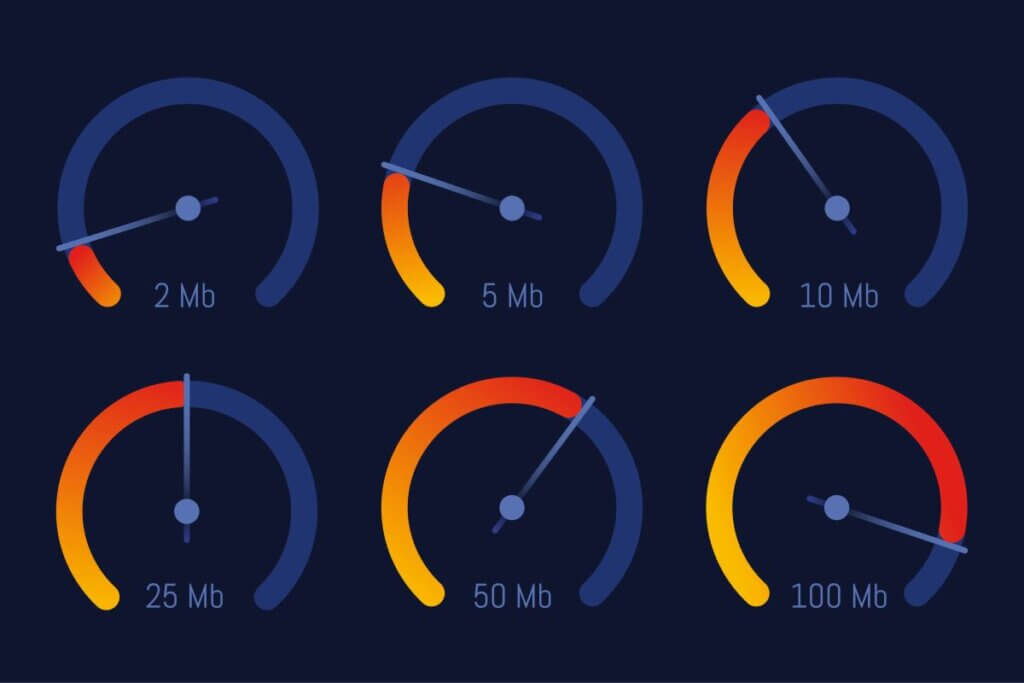
Level up your internet speed
Two key players in the world of gaming are download speed and upload speed.
Download speed means how quickly your device can receive data from the internet.
Why does this matter for gaming?
Simple. It affects how fast your game loads and how smoothly it runs. The higher your download speed, the less glitching and fewer interruptions you’ll encounter. No more staring at loading screens for an eternity!
Upload speed is all about how fast your device can send data to the internet. This is crucial for online gaming, especially if you’re into multiplayer games or hosting your own game server. A higher upload speed means your actions in the game will appear to the other players in microseconds.
Here’s the official answer:
The only problem with these starter numbers is that people forget these are just the bare minimum. For a consistent, smooth gaming experience, you’ll want speeds that leave these numbers in the dust.
The unsung hero of gaming performance is ping rate, also known as latency.
Ping rate is the time it takes for your device to send a request to the game server and receive a response. The lower your ping rate, the better your gaming experience will be.
Ping/latency is measured in microseconds (ms). For most internet users, ping rate under 100 ms is just fine. But for gaming, you want latency below 50 ms.
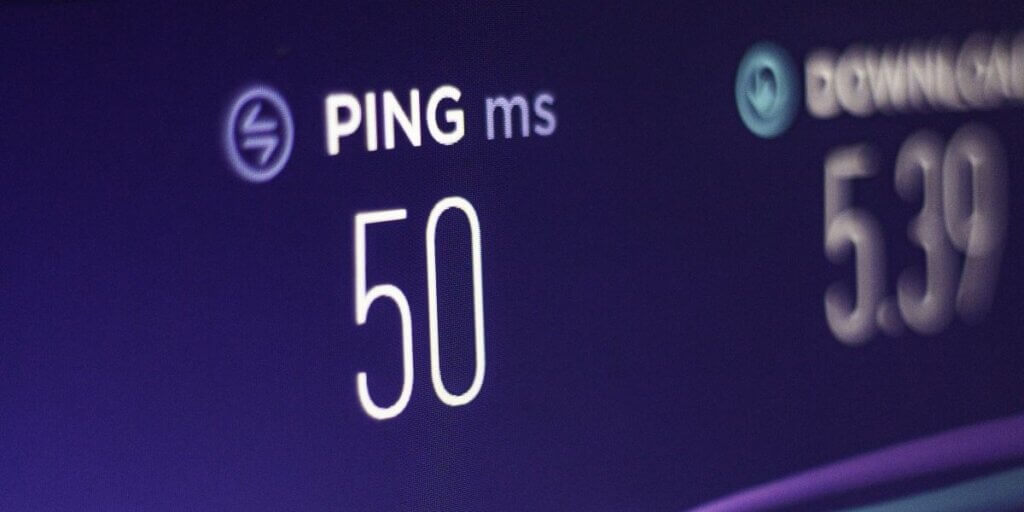
Here’s how different connection types stack up for latency:
Fiber-optic and hybrid fiber coaxial (HFC) internet reign supreme for low latency, making them the top choices for gaming. DSL internet can get the job done, but it might occasionally have issues depending on how far you are from your provider’s hub. And satellite internet? It’s not exactly a gamer’s best friend, usually causing delays that will make you want to rage-quit.
Starlink satellite internet claims to provide much lower latency than the other satellite providers, but gamers report that Starlink is still not low-latency enough to provide a reliable, glitch-free session for online gaming [1].
If you’re serious about competitive online gaming, aim for a ping rate of 20 ms or lower. This way, your actions in the game will be registered so fast they will seem instant. Split-second reactions are a must to survive a tough battle!
As you can tell by now, not all internet connections are created equal for gaming. Here’s how the most common internet tech types fare in the gaming world.
Cable and fiber-optic internet are the cream of the crop for gaming. They offer lightning-fast speeds and low latency, making them perfect for even the most demanding online games.
Fiber-optic internet, the most advanced tech, uses glass or plastic fibers to transmit data at about 70% of the speed of light [2].
Using light signals gives fiber even faster speeds than hybrid fiber coaxial (HFC) internet. Both fiber’s download and its upload speeds are capable of reaching 1,000 Mbps (1 gigabit) and far beyond, up to even 50 gigabits! The catch? It’s not as widely available as hybrid fiber coaxial (HFC) internet.
Hybrid Fiber Coaxial (HFC) internet uses a blend of copper coaxial cable and fiber-optic line called hybrid fiber coaxial (HFC). Cable is widely available and can offer download speeds up to I gigabit in some areas. But upload speeds don’t usually get any faster than 50 Mbps, and often can be 10-20 Mbps.
Some top-notch cable and fiber-optic internet providers for gaming include:

Fiber internet is best for real-time gaming
DSL internet, short for Digital Subscriber Line, can sometimes be another option for gaming, especially in areas where cable or fiber-optic internet hasn’t built out yet.
DSL uses your telephone lines to transmit data, but DSL speed varies widely. You may get only 6-10 Mbps download speeds, and 1-3 Mbps upload speeds. But some DSL providers offer download speeds up to 100 Mbps in select areas.
While DSL can get you by for gaming, it might have higher latency and slower speeds compared to its cable and fiber-optic counterparts. Plus, the farther you are from the provider’s central office, the slower your speeds may be.
Satellite internet is a last resort for gaming, mainly for folks in rural areas where other types of internet are harder to come by. It works by sending data to and from a satellite orbiting the Earth, which can lead to high latency and slower speeds. Satellite internet can be perfectly fine for many internet users. But for heavy online gaming, it’s not ideal.
Latency is the bane of satellite internet’s existence. The signal has to travel a long way to reach the satellite and then back to your device, resulting in delays of up to 594-624 ms. That will be enough to make any gamer want to throw their controller out the window.
As we previously noted, Starlink offers lower latency, but customer reports say it is still not low enough to support reliable real-time gaming.
Satellite internet can also be disrupted by bad weather (known as “rain fade”)which can further impact your gaming performance [3].
Now you have to consider the second big question for internet speed. What kind of gaming do you plan to do?
Here are some recommended internet speeds for various gaming styles. Remember that the following numbers are bare minimums, and each gamer would need this minimum speed to participate. So, if you have four gamers playing at once in your house, and each needs 6 Mbps download, that’s a total of 24 Mbps download.
Are you a casual gamer who mostly plays single-player games or occasionally jumps into online matches with friends? You can get away with lower internet speeds. Here’s what we recommend:
These speeds should be enough for most casual gaming situations. Multiply the speeds by the number of people in your household gaming or using the internet. Then add some more speed so you have enough bandwidth for your smart home devices. You also might want extra room to avoid slowdowns during network congestion.
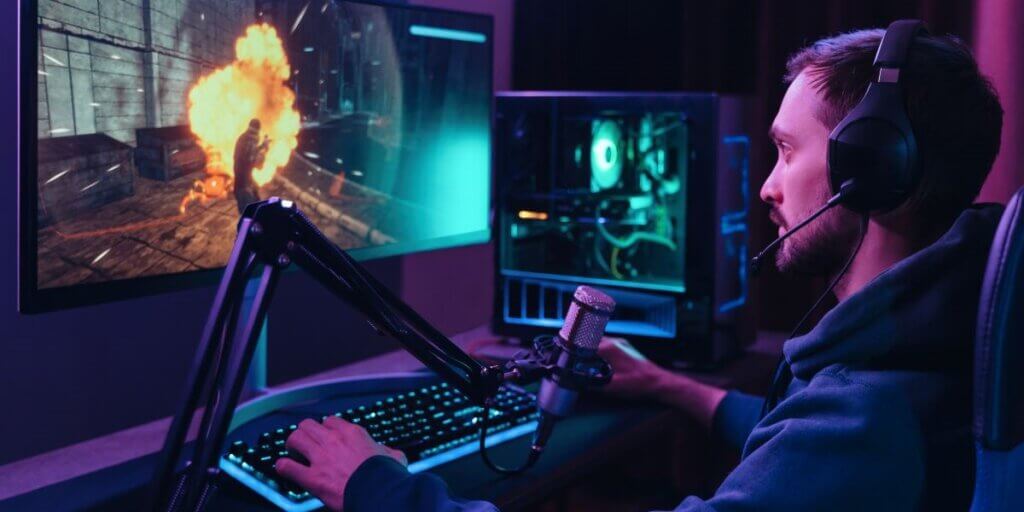
At least 100 Mbps for competitive gaming
For all you competitive gamers out there, where every microsecond counts, you’ll need faster internet speeds and lower latency to stay on top of your game. Here’s what we suggest:
With these speeds, your game will load faster than you can say “I won!" Your actions will register with pinpoint accuracy, giving you the competitive edge you need to dominate. Just keep in mind, if you have multiple gamers in your household, you need even faster speeds to keep everyone in the game.
Heads up for game streamers and content creators! You’ll need some serious internet speeds to ensure your stream is smooth, and your viewers are happy. Here’s what we recommend:
With these speeds, you’ll be able to stream your gameplay in glorious high-definition, and your viewers will be able to enjoy every moment without any buffering. If you’re streaming in 4K or have multiple people using the internet at the same time, you might need to crank those speeds up even higher.
Cloud gaming services like GeForce Now let you play high-quality games without needing a high-powered gaming PC or console [4]. The game runs on a remote server and streams directly to your device.
Here’s what you’ll need for a smooth cloud gaming experience:
With these speeds available for each gamer, your game will load quickly, and you’ll be able to enjoy seamless gameplay without any lag or interruptions.
Recommended internet speeds for gaming can vary depending on your household situation. Here are some things to consider:
Sharing is caring, but not when it comes to internet connections. In an apartment, you might be sharing your internet with other tenants, which can lead to slower speeds during peak usage times.
To keep your gaming experience smooth, consider opting for a higher-speed internet plan, like a 200 Mbps plan, to account for the shared connection.
In a house, you’ll have more control over your internet connection and won’t have to worry about congestion from other users.
But keep in mind, the size of your house and the placement of your router can impact your gaming experience. If your gaming setup is far from your router, you might experience slower speeds or connectivity issues.
To ensure a strong and consistent connection throughout your house, consider investing in a mesh Wi-Fi system or a gaming router with advanced features like Quality of Service (QoS) settings.

Multiple gamers need higher bandwidths
For households with 1-2 gamers, a 100-200 Mbps internet plan should be enough to keep everyone in the game.
But if you have other household members who are heavy internet users or frequently have guests over, consider bumping up to a higher-speed plan to accommodate everyone’s needs.
If you’ve got a house full of gamers (3 or more), you’ll need a beefed-up internet plan to ensure everyone can game without interruptions.
We recommend a 200-400 Mbps plan for most multi-gamer households. But if you have other heavy internet users or frequent guests, you might need even faster speeds to keep everyone connected and happy.
Mobile gaming has exploded in popularity, with more and more people getting their game on using smartphones and tablets. Here’s what you need to know about internet speeds for mobile gaming:
For most mobile games, a download speed of 5-10 Mbps and an upload speed of 2-5 Mbps should do the trick.
But if you’re into more demanding mobile games or playing online multiplayer, you might need to bump up those speeds for a smooth and lag-free experience.
5G networks are the new hotness, offering faster speeds and lower latency compared to 4G networks. This might take your mobile gaming experience to the next level.
With 5G, it’s possible that download speeds might get up to a blazing-fast 1 Gbps and latency as low as 1 ms. That’s enough to make your mobile gaming feel just as smooth as gaming on a PC or console.
But don’t get too excited just yet. 5G networks are still rolling out and aren’t widely available. So, for now, you might have to stick with 4G or Wi-Fi for your mobile gaming needs.
In addition, those top potential speeds of 5G are not proving to be the actual speeds available to most 5G users [5]. Time will tell if 5G can truly equal the speeds of wired connections.

Mobile gaming is very popular
Even with a lightning-fast internet plan, there are still some things you can do to optimize your connection for gaming. Here are some tips:
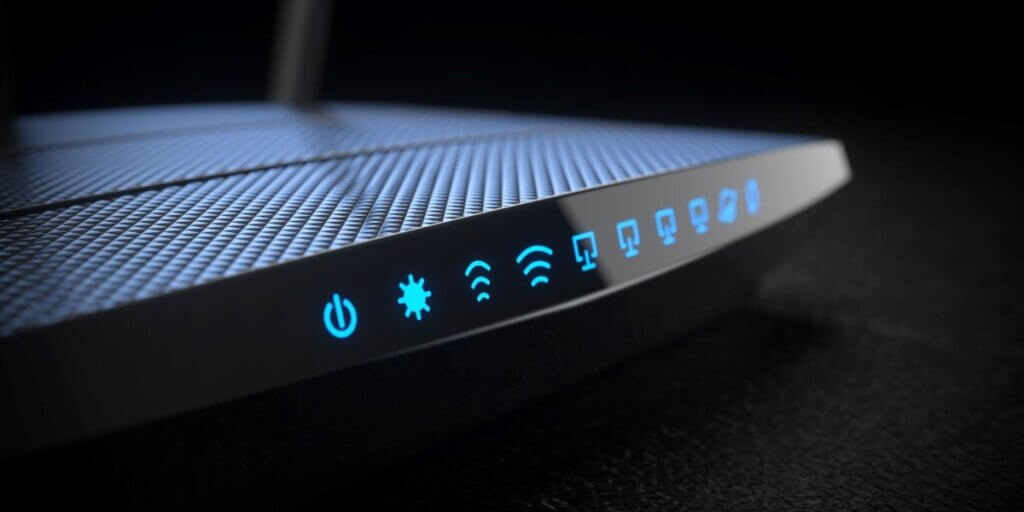
Check your router settings
One last thing to keep in mind when choosing an internet plan for gaming is data caps. Some internet plans come with limits on how much data you can use each month, and going over those limits can result in extra fees or slower speeds.
Gaming can eat up a lot of data, especially if you’re downloading big game files or patches. And if you’re streaming your gameplay, you can expect to use even more data, particularly if you’re streaming in high resolution.
To avoid any data cap drama, look for an internet plan with unlimited data or a high data cap that can handle your gaming needs. Unlimited data plans might cost a bit more, but they can be worth it if you’re a hardcore gamer.
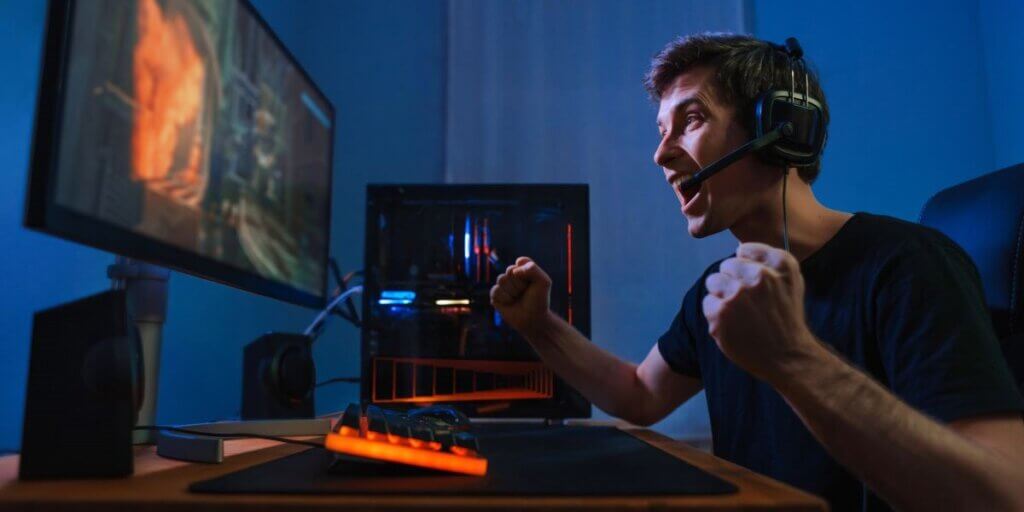
Get the speed to succeed!
When you pick an internet plan for gaming, here’s your checklist for what to consider:
Remember, while the minimum speed requirements for individual games might seem low (around 5 Mbps), these requirements can add up fast when you have multiple people in your household gaming or using the internet at the same time. The Federal Communications Commission (FCC) suggests at least 100 Mbps download speed and 20 Mbps upload speed for households with multiple users and devices [6].
By following the tips and recommendations in this guide, you can optimize your internet connection for gaming. Get ready to top the leaderboard in smooth, lag-free gaming sessions!
To learn more about how speed affects your other internet activities, see our complete guide to internet speed.
[1] Reddit.com. “Starlink User Comments."
[2] Wired.com. “Internet at the Speed of Light."
[3] Academia.edu. “Effect of Rain Fade in Satellite Communication."
[4] Wikipedia.org. “Cloud Gaming."
[5] Forbes.com. “Real-World 5G Speeds."
[6] FCC.gov. “FCC Raises Benchmark for High-Speed Internet."
Do you want to leave a review for AT&T Internet?
About the author

Infinity Sales Group, LLC